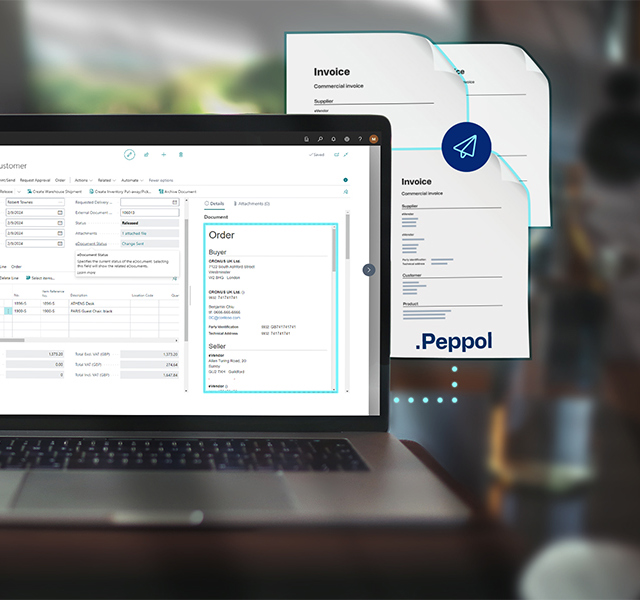
For any business that processes a significant volume of supplier invoices, accounts payable is one of the most labour-intensive and error-prone functions in the finance department. Invoices arrive in multiple formats, require manual data entry, need to be matched against purchase orders, routed to approvers, and then posted to the general ledger. When the volume is low, a manual process is manageable. When it grows, the process does not scale — it just consumes more time and produces more errors.
Continia Document Capture, implemented as a native extension within Microsoft Dynamics 365 Business Central, automates this entire process. This post explains how it works in practice and what the before-and-after looks like for finance teams that have made the transition.
The Manual AP Process: What It Actually Involves
Before looking at what Document Capture does, it is worth being specific about what the manual alternative involves, because the cumulative time cost is often underestimated.
A supplier invoice arrives by email as a PDF attachment. Someone in the finance team opens it, reads the supplier name, invoice number, invoice date, amounts, and line items, types these into Business Central, and then looks up the corresponding purchase order to match. If the values match within tolerance, the invoice can be approved. If not, it goes back to the person who raised the order for explanation. Once approved, it is posted to the general ledger and the attachment is filed somewhere accessible for audit purposes.
For a business processing fifty invoices a week, this process might consume two to three hours of finance team time daily. For a business processing two hundred invoices a week, it might be a full-time role. And in both cases, the process introduces a consistent rate of data entry errors — wrong nominal codes, transposed invoice numbers, missed discounts — that require periodic correction.
What Document Capture Does Instead
Document Capture monitors a dedicated email inbox. When a supplier invoice arrives — PDF, scanned image, or structured XML — the system’s OCR engine reads it and extracts the relevant data: supplier identification, invoice number, invoice date, amounts by line, VAT, and any other configured fields. This extraction is then presented in a Business Central review queue, pre-populated and ready to check rather than ready to type.
The system attempts to match each invoice automatically against open purchase orders based on the extracted data. Where a clear match exists within configured tolerance rules, the match is made automatically. Where the match is ambiguous or the values are outside tolerance, the invoice is flagged for human review with the relevant information displayed clearly.
Once reviewed and confirmed, the invoice is routed through the configured approval workflow — sent automatically to the designated approver based on rules defined by supplier, amount, department, cost centre, or any combination. Approvers receive an email notification and can approve or reject directly from their email client without logging into Business Central. Every decision is recorded against the document in the system.
On full approval, the invoice posts to the general ledger automatically. The original document is stored in the Business Central document archive, retrievable in seconds alongside its full approval history.
The Learning Effect
One of Document Capture’s most valuable characteristics is that it improves with use. When the OCR engine encounters a supplier invoice it has not seen before, it may extract the data with lower confidence and present it for review. When the finance team corrects or confirms the extraction, the system records the layout of that supplier’s invoice as a template. The next invoice from the same supplier is recognised with significantly higher confidence, and over time the review queue shrinks as templates are established for the regular supplier base.
This means the return on the investment in Document Capture compounds over time. The first month of operation typically sees a meaningful review queue requiring attention. By month six, the majority of invoices from established suppliers are processing with minimal human involvement.
What Finsys Apps Does Differently in a Document Capture Implementation
Document Capture’s OCR recognition quality at go-live depends on how well the supplier data in Business Central has been prepared before the system is switched on. If supplier records are inconsistent — multiple entries for the same supplier, missing VAT registration numbers, incorrect addresses — the recognition engine struggles to match incoming invoices to the right supplier record, and the exception rate is higher than it needs to be.
As part of every Continia implementation, Finsys Apps runs a supplier data cleanse before Document Capture goes live. We also work through the approval workflow design with the client’s finance and compliance teams to ensure the routing rules reflect the actual authorisation policy rather than a generic template. The combination of clean data and correctly configured workflows means the system performs at its best from the first day of live operation rather than requiring weeks of tuning afterwards.
If you process a significant volume of supplier invoices and want to understand what Document Capture would look like for your specific AP process, speak to the Finsys Apps team.