
Solutions / Microsoft Dynamics 365
Microsoft Dynamics 365 Field Service
Dispatch the right engineer at the right time, resolve issues first time, and turn every service visit into an opportunity to delight your customers — with Microsoft’s intelligent field service platform, implemented by Finsys Apps.

The Field Service Problem Most Businesses Can’t Afford to Ignore
Field service operations are under constant pressure — customers expect rapid response times and first-time fix rates, but most service organisations are still scheduling engineers manually, chasing job status updates by phone, and managing inventory on spreadsheets. Missed appointments, unnecessary return visits, and reactive maintenance schedules cost money, damage customer relationships, and erode the reputation that service businesses depend on.
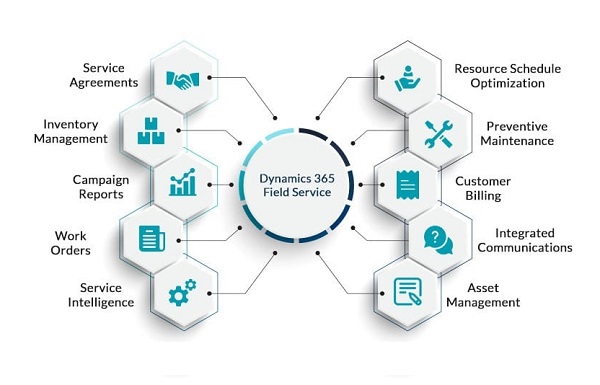
Meanwhile, your engineers are spending time on admin rather than resolving issues, dispatchers are making scheduling decisions without visibility of skills, location, or parts availability, and managers are reviewing performance data that’s already days out of date. Dynamics 365 Field Service changes all of this — replacing reactive, disconnected operations with an intelligent, connected service platform that puts the right people in the right place with the right information every time.
From reactive firefighting to proactive, connected service delivery
 Dynamics 365 Field Service is Microsoft’s intelligent field service management platform — bringing together work order management, intelligent scheduling, mobile workforce tools, inventory management, and IoT-connected asset monitoring into a single, unified system.
Finsys Apps implements Dynamics 365 Field Service around the specific demands of your service operation. Whether you run a small team of mobile engineers or a large multi-region service organisation, we configure the system to match your workflows, integrate it with your existing Dynamics 365 environment, and ensure your team is productive from day one.
Higher First-Time Fix Rate
Achieved when engineers arrive with the right skills, parts, and information.
More Jobs Per Day
Completed by field teams using AI-optimised scheduling and routing.
Post-Go-Live Support
Follow-the-sun support from Finsys Apps — your team is never left without expert help.
Intelligent Scheduling & Despatch
Getting the right engineer to the right job is the most operationally complex problem in field service — and it’s one that manual scheduling simply cannot solve at scale. Dynamics 365 Field Service’s AI-powered scheduling engine considers every relevant factor simultaneously: engineer skills and certifications, current location and travel time, parts availability, customer SLA windows, and workforce capacity — and produces an optimised schedule in seconds rather than hours.
The interactive schedule board gives dispatchers complete visibility of every engineer’s day, with drag-and-drop control for ad-hoc changes and real-time updates when jobs run over or new emergencies come in. For organisations with large field workforces, the Resource Scheduling Optimisation (RSO) add-on runs fully automated scheduling across the entire team, continuously re-optimising throughout the day as conditions change.
Connected Engineers with the Field Service Mobile App
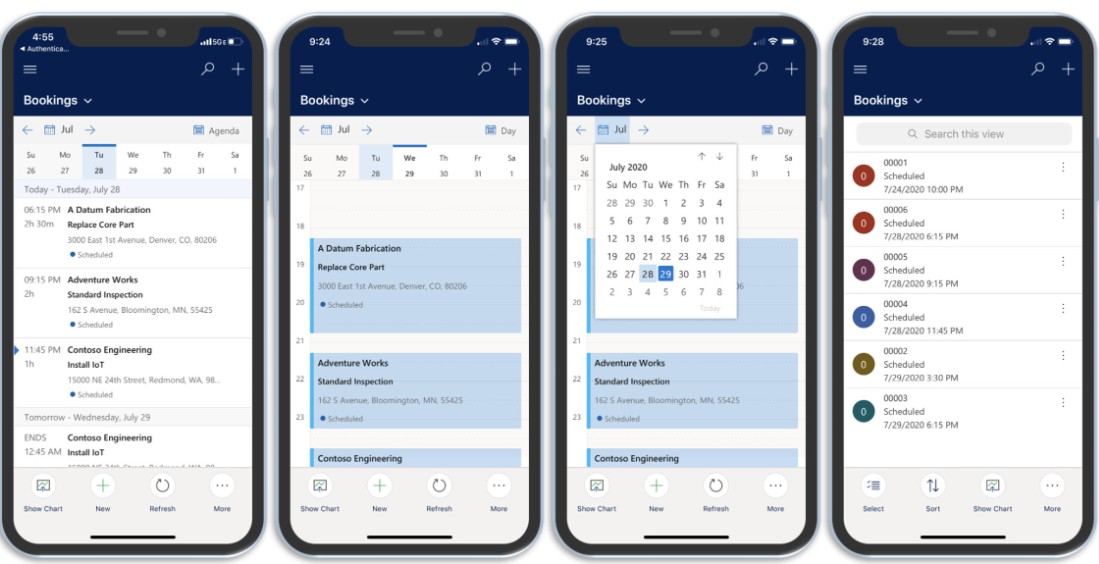 Your engineers are only as effective as the information they can access in the field. The Dynamics 365 Field Service mobile app gives every engineer their complete job schedule, customer asset history, service manuals, required parts, and step-by-step task guides — all available on any iOS or Android device, with full offline capability for sites with poor connectivity.
Copilot AI is embedded in the mobile app, helping engineers resolve unfamiliar issues by surfacing relevant knowledge articles, previous resolutions for similar problems, and remote expert guidance through Microsoft Teams. Engineers can update job status, capture signatures, take photos, and complete safety checklists directly in the app — eliminating paper-based processes and ensuring every job record is updated in real time.
In the field
Back to base
Proactive Asset Management & IoT
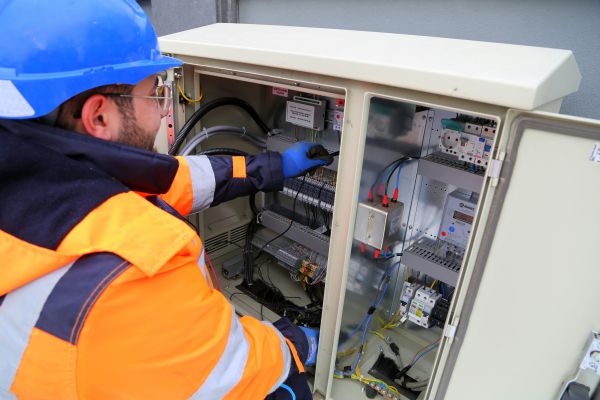 Reactive maintenance — sending an engineer after something breaks — is the most expensive way to run a service operation. Every unplanned breakdown costs more to fix, causes more customer disruption, and shortens the life of the asset. Dynamics 365 Field Service enables the shift to proactive and predictive maintenance, using IoT sensor data, maintenance schedules, and AI-driven asset health analysis to identify problems before they cause failures.
Connected assets send real-time telemetry data directly into Dynamics 365, where anomalies automatically trigger work orders before a fault becomes a failure. Full asset lifecycle tracking — including installation date, maintenance history, warranty status, and parts used — gives service managers the complete picture they need to make informed decisions about repair versus replacement.
Customer Experience & Self-Service
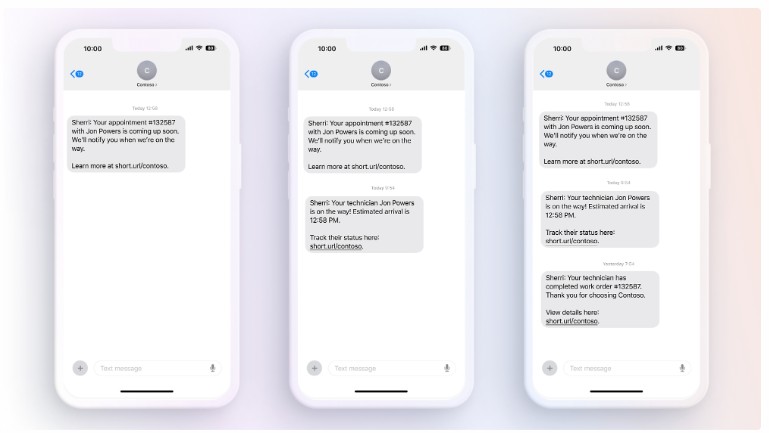 The service experience your customers receive is just as important as the technical quality of the work your engineers do. A customer who is kept informed, given a reliable appointment window, and receives a follow-up confirming the job is complete is far more likely to renew their service contract and recommend your business than one who is left waiting without updates.
Dynamics 365 Field Service’s customer portal and automated notification system keeps customers informed at every stage — appointment confirmation, engineer on the way, job completed, and follow-up survey. Self-service scheduling allows customers to book, reschedule, or cancel appointments through a branded portal without requiring a phone call, reducing inbound contact volume while improving satisfaction.
Why Businesses Choose Finsys Apps
Field service implementations fail when the system is configured around the software’s default setup rather than how the business actually operates. Scheduling logic that doesn’t reflect your skill requirements, work order workflows that don’t match your job types, and mobile forms that your engineers find harder than paper — these are the reasons field service projects underdeliver. Finsys Apps builds the system around your operation from the outset.
We bring experience across a wide range of field service environments — from equipment maintenance and facilities management to healthcare devices and utilities — and we know the questions to ask before a line of configuration is written. Our fixed-price implementations come with clear milestones, a structured go-live programme, and 24/7 post-launch support as standard.
“I started Finsys Apps because I believed businesses deserved better — better implementations, better support, and better outcomes from their technology investment. Every client we work with gets my personal commitment to that standard.”

Matt Cooke
Founder & CEO, Finsys Apps
Frequently Asked Questions
Let’s Make Things Happen
Take the first step to streamlining your business processes by getting in touch today.
“Matt and his team at Finsys Apps were fabulous. They took us through the implementation of Microsoft Dynamics Business Central, helping us design our new BI financial reporting structure, migrate our legacy data and developed new integrations. The whole process was painless”.
Finance Director, Stott and May