Most growing businesses do not consciously decide to outgrow their accounting software. It happens gradually. The finance team adds another spreadsheet to compensate for something the system cannot do. A manual process is created to handle an exception that keeps recurring. Month-end takes a bit longer each quarter. Reports that used to take a day now take three.
By the time the pain is obvious enough to force a conversation about changing systems, the organisation has usually been living with the consequences for longer than it realises. Here are five signs that your accounting software is no longer fit for purpose — and what to consider next.
1. Your Finance Team Runs Month-End From Spreadsheets
If the production of your monthly management accounts involves exporting data from your accounting system into Excel and then doing significant work in the spreadsheet before the numbers are usable, your system is not your finance system in any meaningful sense — Excel is. This is the most common sign of a system that has been outgrown, and it is so normalised in many finance functions that teams no longer recognise it as a symptom of a problem.
Properly implemented ERP software should produce your management accounts directly. The format might be polished in Excel or a reporting tool, but the numbers should come from the system with no manual adjustment. If they don’t, your system is either misconfigured or insufficient for your needs.
2. You Cannot See Your Cash Position Without Asking Someone
In a growing business, cash visibility is not a luxury — it is a basic operational requirement. If your CEO or CFO needs to ask the finance team for a cash position rather than being able to see it in real time from a dashboard, something is wrong. Either the system does not have the capability to surface live cash data, or it has not been configured to do so.
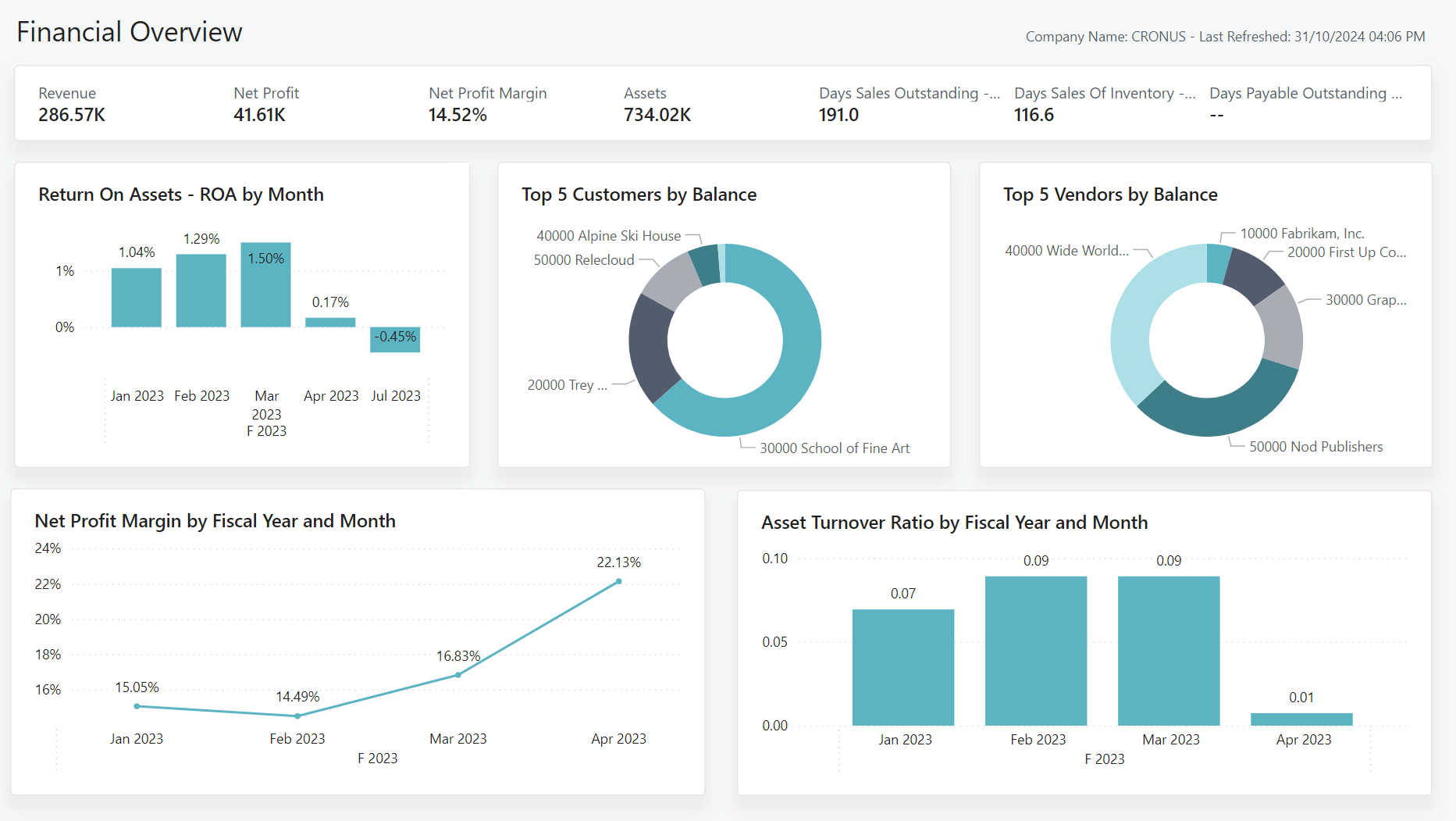
Business Central with a bank feed integration — whether Yavrio, Softera Bankfeed, or another solution — provides real-time bank balances visible in the system as transactions occur. Power BI adds a live cash dashboard that management can access without requesting a report.
3. Purchase Approvals Live in Someone’s Email Inbox
If the approval process for purchase orders or supplier invoices is an email chain — or worse, a post-it note on the relevant manager’s desk — your internal controls are weaker than they should be for a business of your size. This matters for practical reasons (approvals get missed, invoices are paid twice, fraudulent invoices slip through) and for audit and governance reasons (you cannot demonstrate to auditors or investors that your approval processes were followed if the evidence lives in scattered email threads).
Business Central has configurable purchase approval workflows. When a purchase order or invoice is created, it routes automatically to the designated approver based on your configured rules — by amount, by department, by supplier — and the approver receives a notification. Every approval decision is recorded in the system with a timestamp.
4. You Operate More Than One Entity and Consolidation Is a Manual Exercise
If your business comprises more than one legal entity and producing consolidated group accounts requires exporting data from separate company files, combining them in a spreadsheet, and manually eliminating intercompany balances, you have a significant operational inefficiency — and a genuine risk of errors in your consolidated reporting.
Business Central manages multiple companies within a single environment. Intercompany transactions are matched automatically, eliminations are handled within the system, and consolidated group reports are available directly without manual combination. For businesses that have been managing consolidation manually, this is typically one of the most impactful improvements that Business Central delivers.
5. New Employees Take Weeks to Get Up to Speed on Finance Processes
This one is less obvious but genuinely telling. When the finance team is running significant processes in spreadsheets or through manual workarounds, onboarding a new team member requires teaching them not just how the business works but how the workarounds work. There is no system to guide them. The process knowledge lives in the heads of the people who built it.
Proper ERP software encodes your processes in the system itself. A new team member following a properly configured workflow in Business Central is guided through the correct steps by the system, with the appropriate checks and validations built in. Onboarding becomes training on the system rather than a months-long apprenticeship in the finance team’s particular way of doing things.
What to Do Next
If several of these signs resonate, it is worth having a structured conversation about what upgrading your finance systems would involve — the scope, the timeline, and the realistic cost. At Finsys Apps we offer an initial assessment at no cost: a conversation about your current setup, the specific problems you are experiencing, and an honest view of whether Business Central is the right solution and what implementation would involve. Get in touch to arrange a call.