
The Customer Service Problem Every Business Faces
Customer expectations have never been higher — and the gap between what customers expect and what most service operations can deliver has never been wider. Customers expect instant responses on the channel they choose, consistent answers regardless of who picks up, and agents who already know their history without being asked to repeat it. Yet most service teams are working across disconnected systems, dealing with fragmented case histories, and struggling to meet SLAs with agents who lack the tools and information they need to resolve issues first time.
The result is longer handle times, higher escalation rates, frustrated agents, and customers who leave because the effort of getting help outweighs the value of staying. Dynamics 365 Customer Service changes this fundamentally — giving your agents a unified workspace, AI-powered assistance, and access to every piece of customer context they need, across every channel, in a single platform.
Intelligent service that puts agents and customers first
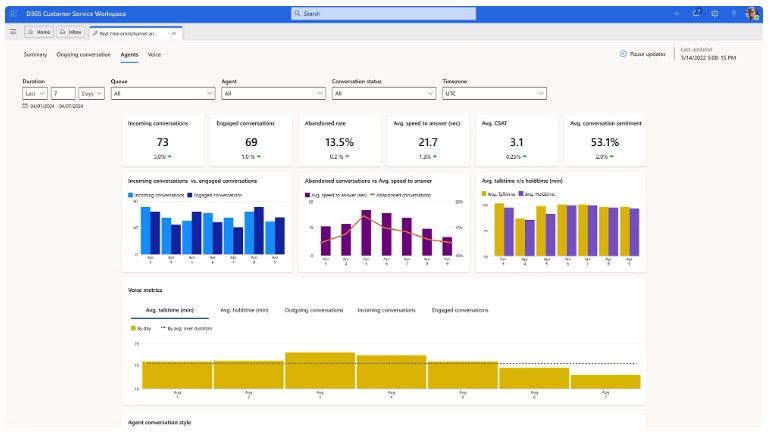 Dynamics 365 Customer Service is Microsoft’s enterprise service management platform — combining omnichannel case management, AI-powered agent assistance, self-service portals, knowledge management, and real-time service analytics into a single, unified environment that works seamlessly alongside your existing Dynamics 365 applications.
Finsys Apps implements Dynamics 365 Customer Service around the specific demands of your service operation. Whether you run a contact centre handling thousands of cases per month or a smaller team managing complex B2B customer relationships, we configure the platform to match your case types, SLA structure, and escalation workflows — and we ensure your agents are confident and productive from day one.
Faster Case Resolution
Achieved when agents work from a unified workspace with AI-powered assistance.
Deflection via Self-Service
Of routine queries handled by AI-powered chatbots and self-service portals.
Businesses Transformed
Finsys Apps clients across the UK and Europe.
Omnichannel Case Management
Customers contact you on the channel that suits them — phone, email, live chat, Teams, WhatsApp, social media, or a self-service portal. The problem for most service operations is that each of these channels sits in a different system, meaning agents have no single view of a customer’s history and customers have to repeat themselves every time they switch channel or speak to a different agent. Dynamics 365 Customer Service unifies every channel into one workspace.
Every inbound contact — regardless of channel — creates or updates a case in the unified queue. Agents see the complete interaction history across all channels on a single screen, with routing rules automatically directing each case to the most appropriate agent based on skills, workload, and case priority. Supervisors have real-time visibility of queue volumes, handle times, and SLA compliance across every channel simultaneously.
AI-Powered Agent Assistance with Copilot
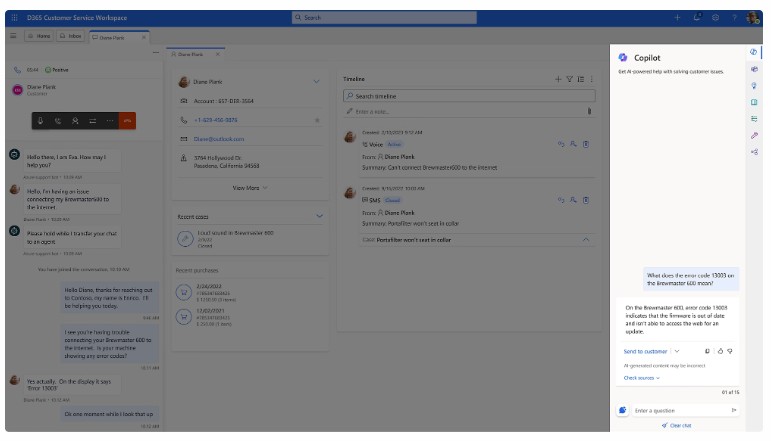 Copilot is embedded throughout the Dynamics 365 Customer Service agent workspace — not as an optional add-on but as a core part of how agents work. When a case is opened, Copilot automatically summarises the customer’s history, the nature of the issue, and any previous resolutions attempted. It surfaces relevant knowledge articles, suggests the next best action, and drafts a response the agent can send or edit — cutting handle time without compromising quality.
For supervisors, Copilot provides real-time conversation analysis, flagging calls and chats that may need intervention, identifying sentiment trends across the queue, and producing post-interaction summaries automatically so agents spend less time on wrap-up and more time on the next customer. New agents reach competency faster because Copilot acts as a constant, real-time guide drawing on your entire knowledge base.
For agents
For supervisors
Self-Service, Knowledge & Virtual Agents
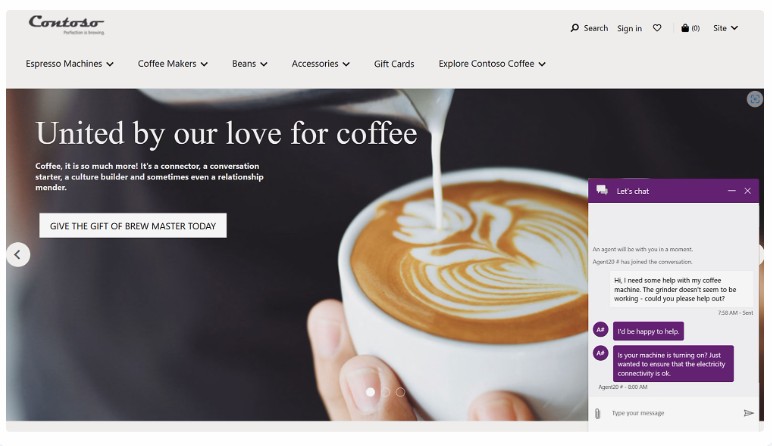 The most cost-effective service interaction is one that never reaches an agent because the customer resolved it themselves. Dynamics 365 Customer Service includes a fully branded self-service portal where customers can raise cases, track status, search the knowledge base, and access account information without contacting your team. Integrated AI-powered virtual agents handle routine queries conversationally, escalating to a live agent — with full context — only when genuinely needed.
The knowledge management system sits at the heart of both the agent workspace and the self-service portal, ensuring the same accurate, approved answers are available everywhere. Knowledge articles are suggested to agents during live interactions, can be sent directly to customers, and are continuously rated and improved based on whether they actually resolved the issue. Over time, this creates a self-reinforcing service capability that gets better with every interaction.
Connected Across the Microsoft Ecosystem
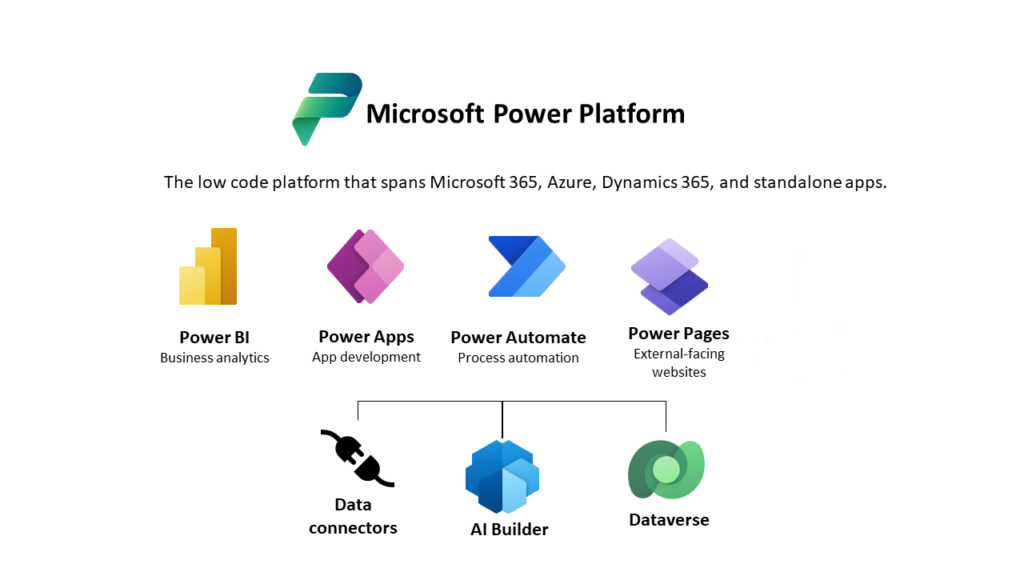
Dynamics 365 Customer Service sits on the same Microsoft Dataverse platform as Sales, Marketing, and Field Service — meaning customer records, account history, open opportunities, and active field service jobs are all visible to your service agents without switching systems. When a service agent handles a case for a customer who also has an open sales opportunity, both teams are working from the same data with no duplication or lag.
Integration with Microsoft Teams enables agents to escalate complex cases to subject-matter experts via chat or video call without leaving the case workspace. Power BI delivers service analytics beyond what’s available in standard dashboards, and Power Automate enables no-code automation of repetitive case workflows — routing, notifications, approvals, and updates — freeing agents to focus on interactions that genuinely require human judgement.
Why Businesses Choose Finsys Apps
Customer service implementations succeed or fail based on how well the system reflects the reality of your service operation — your case types, your SLA structure, your routing logic, and the way your agents actually work. A generic deployment with default configuration rarely delivers the productivity improvements or the customer experience uplift that the platform is capable of. Finsys Apps builds every implementation around your specific service model.
Because we implement the full Dynamics 365 suite — Sales, Marketing, Field Service, and Customer Service — we understand how these applications work together. We configure the connections between them properly, so your agents have the account and opportunity context they need, and your sales and field service teams can see the full case history when they interact with a shared customer.
“I started Finsys Apps because I believed businesses deserved better — better implementations, better support, and better outcomes from their technology investment. Every client we work with gets my personal commitment to that standard.”

Matt Cooke
Founder & CEO, Finsys Apps
Frequently Asked Questions
Let’s Make Things Happen
Take the first step to streamlining your business processes by getting in touch today.
“Matt and his team at Finsys Apps were fabulous. They took us through the implementation of Microsoft Dynamics Business Central, helping us design our new BI financial reporting structure, migrate our legacy data and developed new integrations. The whole process was painless”.
Finance Director, Stott and May